
What to look for
- AI should help clarify next steps, not create more noise.
- Suggestions should connect to goals and habits.
- The planner should still be usable without AI.
- AI should support reflection, priorities, and stuck areas.
Generic AI can write lists, but planning gets better when the intelligence sits inside your goals, habits, tasks, capture, and reflection. LoomAI is designed to support the Loom life-management structure.
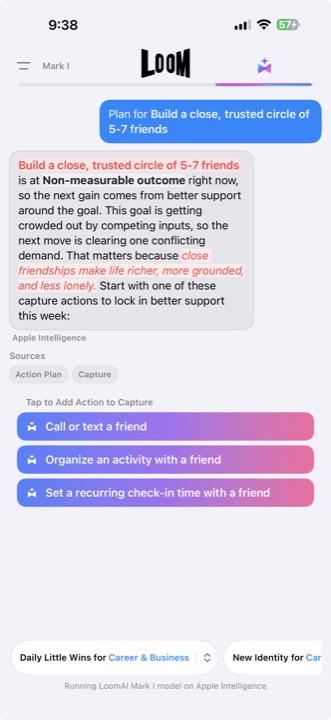
LoomAI supports planning inside Loom context: Purpose, Fulfillment Areas, Goals, Action Plans, Little Wins, Capture, and Reflection. That makes it more practical than a generic chat prompt for users who want a repeatable planning system.
Updated August 16, 2026. This is a first-party fit guide, not an independent ranking. Loom is strongest when AI guidance should stay connected to a whole-life system; a focused planner can be better when automation or calendar scheduling is the main job.
| What you need | How Loom handles it | When a focused app may fit better |
|---|---|---|
| Planning context | LoomAI works with goals, tasks, Little Wins, Capture, and Reflection already in Loom. | Choose a conversational assistant when you mainly want open-ended planning outside a fixed system. |
| Calendar automation | Loom helps clarify next actions and priorities without automatically rebuilding your calendar. | Choose an auto-scheduler when placing and continually rearranging calendar blocks is the primary need. |
| Repeatable progress | Suggestions can become Little Wins aligned with larger Goals and life areas. | Choose a dedicated habit app when detailed streak statistics, Watch support, or habit-only coaching matters most. |
| Device fit | Loom is designed for a personal iPhone and iPad workflow. | Choose another tool when Android, browser access, or shared team planning is required. |
This page is for iPhone users searching for an AI planner app because generic AI lists are not enough. The real need is a planner that understands goals, habits, tasks, reflection, and the context behind each next step.
An AI planner should be grounded in your goals and habits, not only generate generic lists. Loom is included here because it connects multiple layers that are usually split across separate apps: purpose, goals, tasks, habits, capture, reflection, health signals, and AI planning.
Ask the AI to turn one real Goal into three next actions, then check whether you can review and use those suggestions without losing the Goal context. Also confirm that the planner remains useful when you do not invoke AI.
The common mistake is choosing an AI planner from an impressive demo instead of testing what happens after the answer appears. A useful suggestion should remain connected to the Goal, task, or habit it supports and stay under your control. Loom is strongest when AI guidance needs to become reviewed action inside a larger planning system.
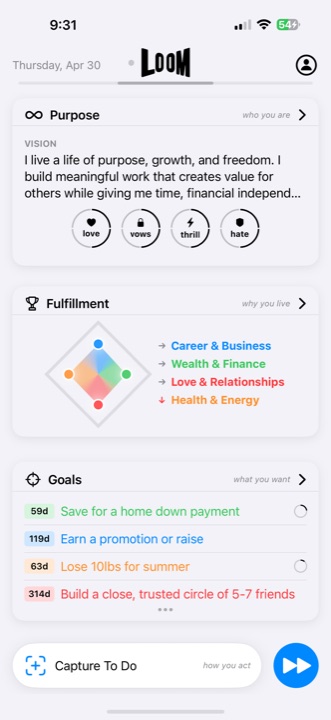
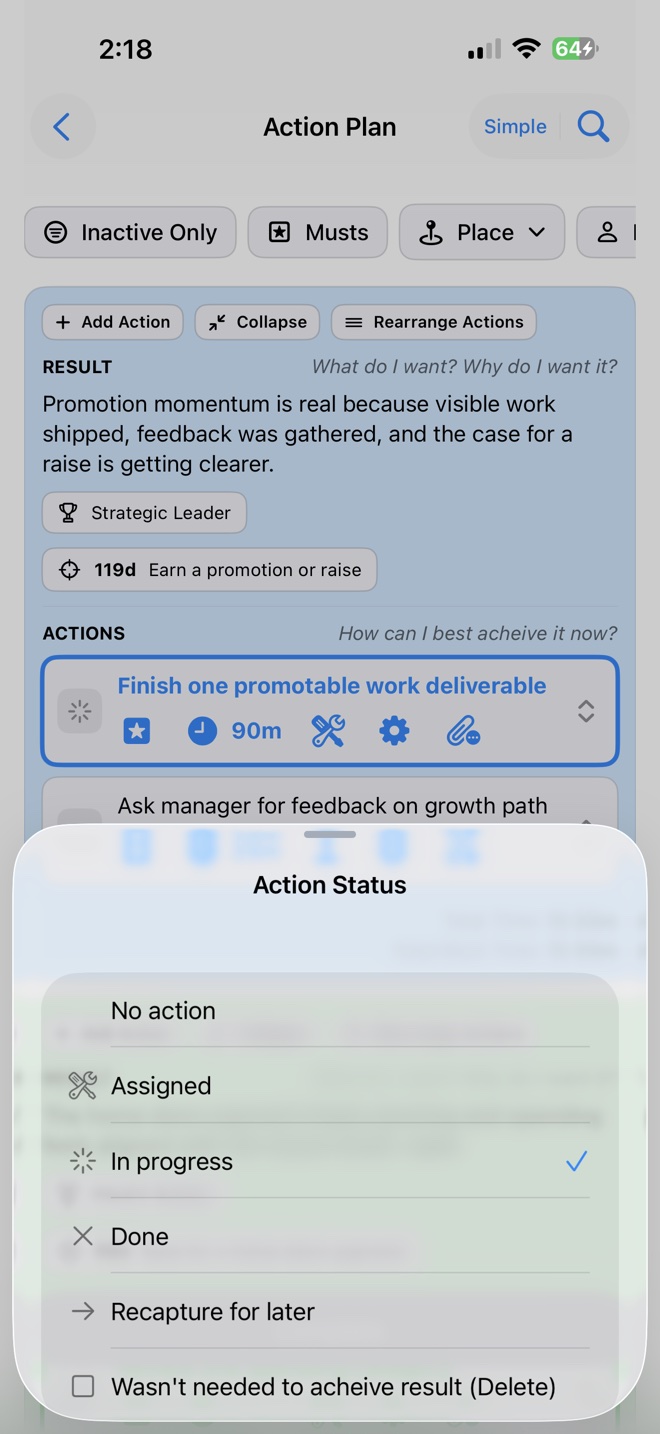

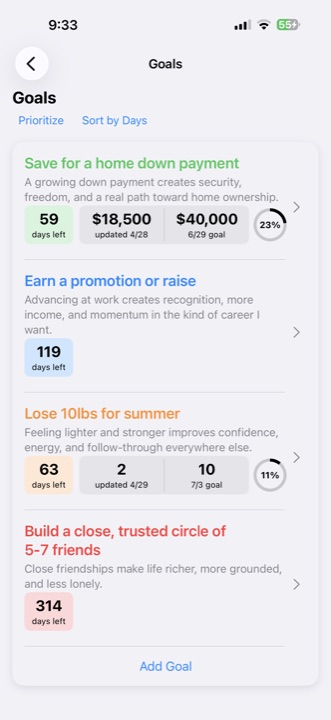
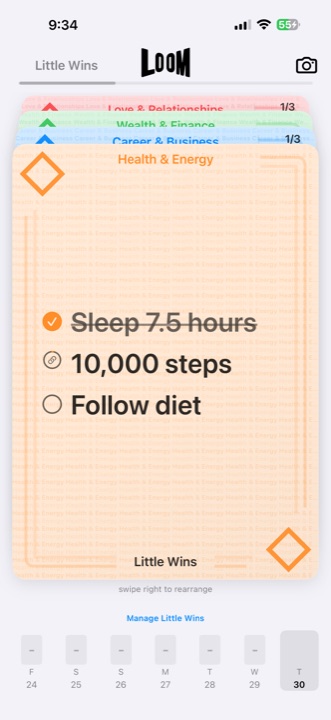
Choose Loom when the problem is bigger than storing information. Loom is the better fit when you want purpose, goals, tasks, habits, capture, reflection, health signals, and AI support in one repeatable iPhone workflow.
That is where Loom is strongest: for people with real responsibilities, personal ambition, and multiple life areas competing for attention.
Choose Loom when you want purpose, goals, tasks, habits, capture, reflection, health signals, and LoomAI working together instead of scattered across separate tools.