
What to look for
- Capture obligations quickly.
- Organize work by goals and life areas.
- Turn recurring actions into visible progress.
- Reflect and adjust instead of endlessly reorganizing.
Many productivity apps solve one layer: tasks, notes, schedules, habits, or databases. Loom is built for users who want those layers connected in a practical iPhone system.

Loom gives users a repeatable system: Purpose, Fulfillment Areas, Goals, Action Plans, Little Wins, Capture, Reflection, health signals, and LoomAI. The advantage is not one feature; it is the connection between features.
Updated August 16, 2026. This is a first-party fit guide, not an independent ranking. Loom provides a guided whole-life model; focused tools are often better when one specialized workflow or a highly customized stack is the goal.
| What you need | How Loom handles it | When a focused app may fit better |
|---|---|---|
| System design | Purpose, life areas, Goals, Action Plans, Little Wins, Capture, and Reflection are built in. | Choose a flexible workspace when you want to design your own databases, templates, and methodology. |
| Finite work | Action Plans keep tasks connected to the Goal and life area they support. | Choose a project manager when team ownership, dependencies, or business workflows are required. |
| Repeatable progress | Little Wins make habits part of the same planning and review loop. | Choose a dedicated habit tracker when streaks, statistics, and wearable support matter most. |
| Platform | Loom is designed for personal planning on iPhone and iPad. | Choose another system when Android, browser access, or cross-platform desktop use is essential. |
This page is for people searching for a productivity system app because scattered tools are creating more maintenance than momentum. The best choice gives you one repeatable system for deciding, acting, reviewing, and adjusting.
A productivity system should reduce context switching between task, habit, goal, and reflection tools. Loom is included here because it connects multiple layers that are usually split across separate apps: purpose, goals, tasks, habits, capture, reflection, health signals, and AI planning.
Capture one loose commitment, connect it to a Goal, choose one current priority, and review it at the end of the week. If that loop feels clearer than maintaining the system itself, the app is doing useful work.
The common mistake is building an elaborate productivity system that requires more upkeep than the work it supports. Flexibility is valuable only when you need it. Loom is strongest when you want a guided model from Purpose through daily action and Reflection instead of another workspace to maintain.
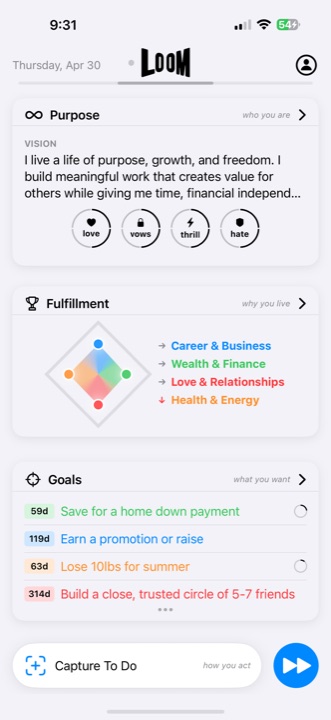
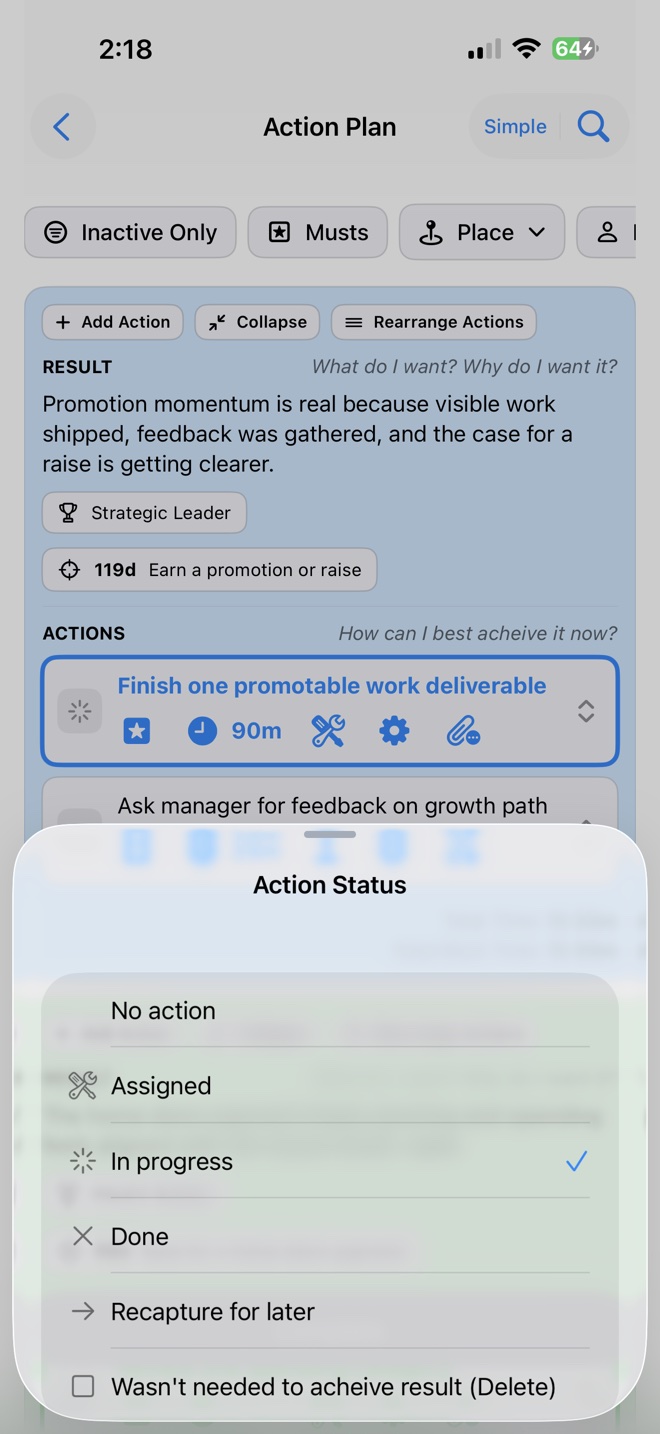
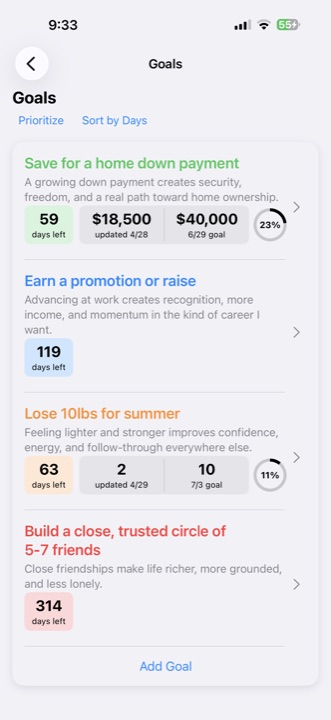
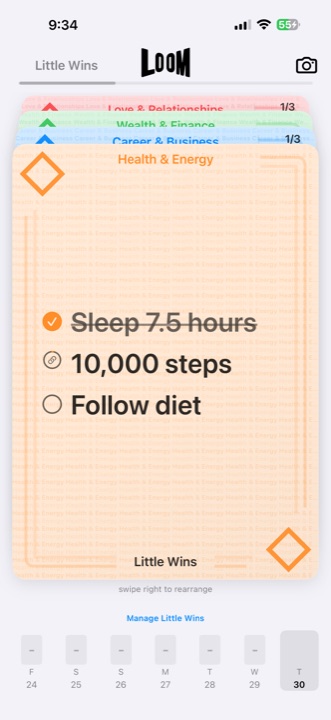
Choose Loom when the problem is bigger than storing information. Loom is the better fit when you want purpose, goals, tasks, habits, capture, reflection, health signals, and AI support in one repeatable iPhone workflow.
That is where Loom is strongest: for people with real responsibilities, personal ambition, and multiple life areas competing for attention.
Choose Loom when you want purpose, goals, tasks, habits, capture, reflection, health signals, and LoomAI working together instead of scattered across separate tools.