
The short answer
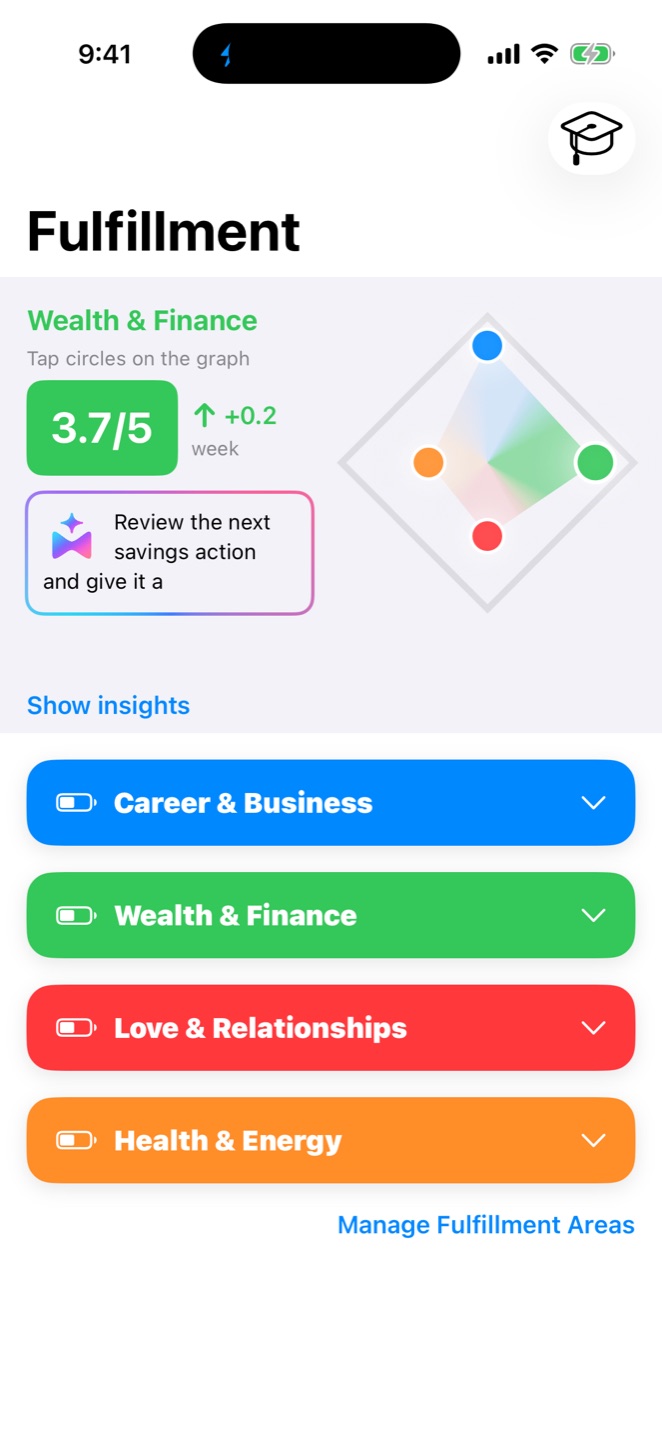
Loom can be a strong fit for college students who want more than an assignment list. Use customizable Fulfillment Areas for academics and the rest of life; Goals, Projects, and Action Plans for semester outcomes; Musts for today’s critical work; Little Wins for repeatable study actions; Capture for loose inputs; and Reflection to adjust the plan.
An individual student who wants school, work, health, relationships, money, and career plans connected.
Direction → Goals → Projects and Action Plans → daily Musts → Little Wins → Reflection.
Available on iPhone and iPad. The App Store also lists Apple-silicon Mac and Apple Vision compatibility.
Loom is not an LMS, grade tracker, tutoring service, automatic syllabus importer, or shared class workspace.
Why a class planner may not organize your whole college life
A class planner can be excellent at showing lectures, assignments, and exam dates. The missing layer is often everything competing with those dates: a job shift, an internship application, sleep, exercise, friendships, family responsibilities, money, and a longer-term reason for earning the degree.
Cornell’s Learning Strategies Center recommends looking across semester and weekly commitments, including work, sleep, exercise, and social time. Loom takes that whole-life view into a personal planning system: academic work stays important without becoming the only visible part of life.
Courses and deadlines
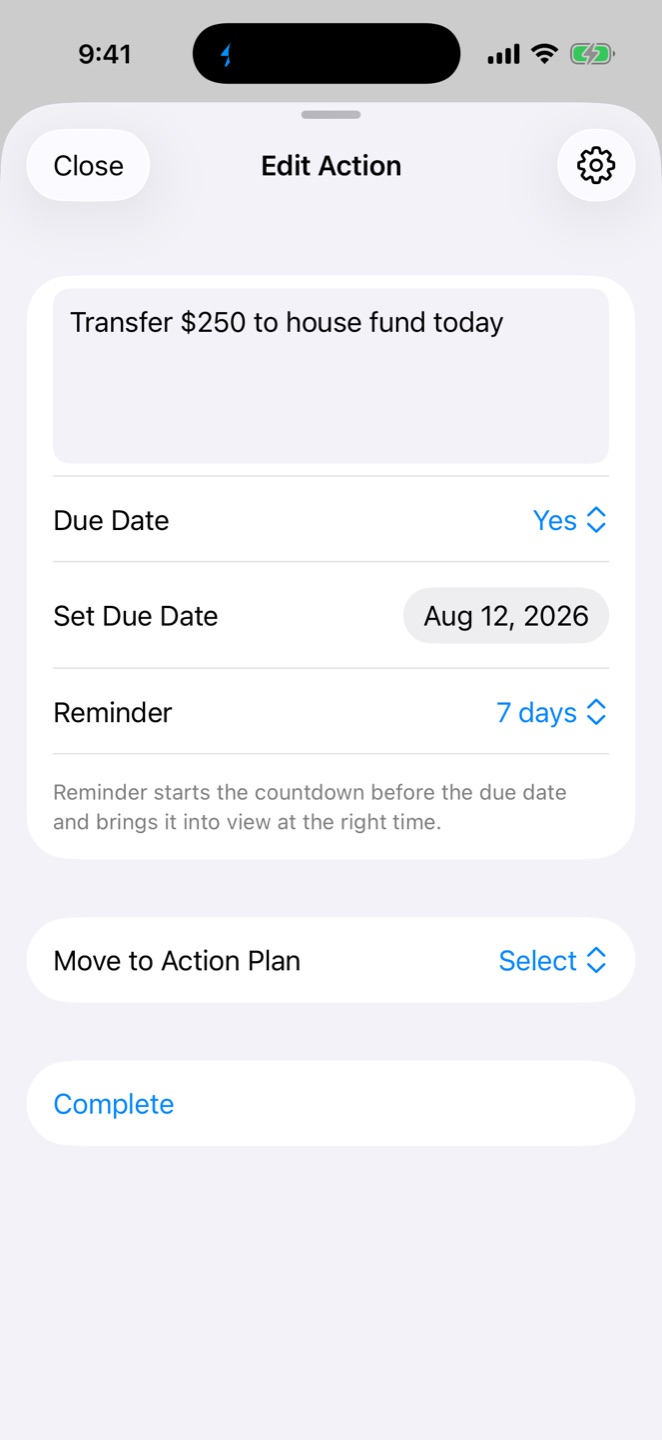
Connect a semester Goal to a Project or Action Plan, then choose the finite work that matters today.
Internships and applications
Keep research, résumé updates, outreach, and submission steps attached to a larger career outcome.
Shifts and financial responsibilities
Make the tradeoffs visible instead of letting school and paid work live in unrelated lists.
Repeatable support
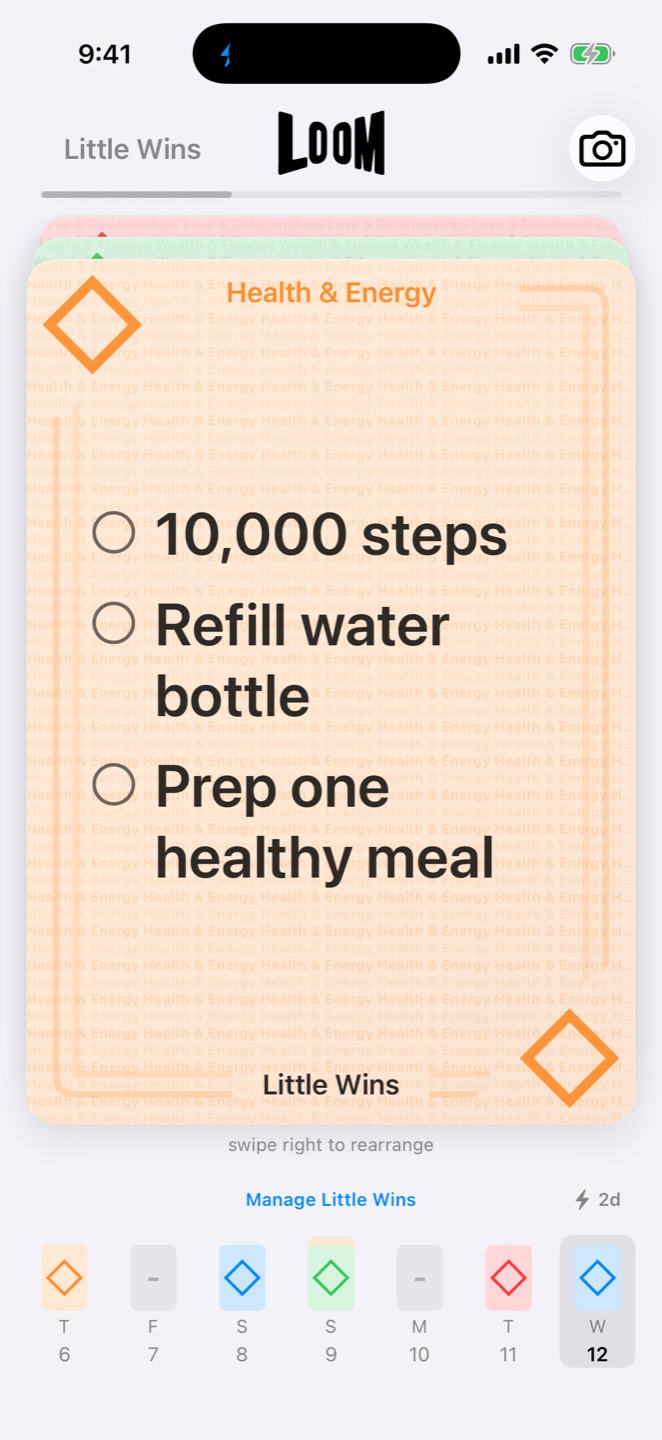
Use Little Wins for small actions you intend to repeat, separate from assignments you complete once.
People outside the syllabus
Protect chosen actions for friends, family, or a partner when a busy week makes them easy to overlook.
Why this semester matters
Keep the personal direction behind a degree, career path, or life change connected to today’s work.
One connected path from the semester to today
This is a crawlable planning example, not a claim that Loom imports a syllabus or builds the plan automatically.
- Semester GoalSubmit the capstone presentation by October 18.
- Project milestonesChoose topic, research, outline, draft, rehearse, submit.
- This weekConfirm the question and collect the first sources.
- Today’s MustSend the topic choice before the afternoon deadline.
- ReflectionNotice what changed and adjust the next week.
How could a college student set up a semester in Loom?
Start with the decisions Loom is designed to connect. Keep course rosters, grades, and official due dates in the school’s systems; use Loom to connect those inputs with the rest of your life and decide what deserves action.
- Create the life areas you actually need.
For example: Academics, Health & Energy, Friends & Family, Money, and Campus & Career. The names are customizable.
- Choose a small set of semester Goals.
A Goal should name an outcome, such as completing a portfolio or submitting a capstone—not every assignment in every course.
- Use a Project or Action Plan for finite work.
Break the outcome into due-dated actions. Action Plans can include Musts, places, assignments, and attachments where useful.
- Keep repeatable actions separate.
A 20-minute review four evenings a week can be a Little Win; a research outline due Friday is finite work.
- Capture loose inputs before organizing them.
Save a professor’s reading suggestion or an administrative reminder, then connect it to the right plan after deciding what it means.
- Reflect and revise.
Review what moved, what became unrealistic, and what should change when the next week is different from the last.
Illustrative semester example—not a customer story
A fictional student creates five Fulfillment Areas: Academics, Health & Energy, Relationships, Money, and Campus & Career. Their current Goal is “Submit the capstone presentation by October 18.”
The Project holds research, outline, draft, rehearsal, and submission milestones. Two items become today’s Musts: confirm the topic and finish a problem set due tomorrow. “Review flashcards for 20 minutes” remains a repeatable Little Win. A reading suggestion goes into Capture. During Reflection, the student notices an overloaded lab week and adjusts the plan rather than pretending the original week still fits.
What does this look like in real college problems?
These examples are hypothetical. They show how current Loom objects can be used; they are not customer testimonials or promises about outcomes.
Two exams and a project deadline collide
Problem: Every item looks urgent, so a long list does not show the real tradeoff.
Loom workflow: Open the connected course Projects, check the finite actions still required, choose only the critical Musts for today, and move lower-impact work to a realistic date.
A part-time shift competes with internship applications
Problem: Paid work is fixed, while important career preparation keeps sliding.
Loom workflow: Keep the internship outcome as a Goal, use an Action Plan for résumé, research, outreach, and submissions, and select one finite career action on days with available capacity.
Finals make health and relationships disappear
Problem: The academic list is visible; the rest of life is not.
Loom workflow: Keep Health and Relationships visible as Fulfillment Areas, choose a few realistic Little Wins, and reduce them when the week cannot support the normal plan.
Your work depends on other people
Problem: A personal checklist cannot replace a shared team workspace.
Loom workflow: Keep your own assigned contribution and deadline in Loom, but use the class-approved collaboration tool for shared files, messages, and the group’s source of truth.
How should Loom work beside calendars, notes, and school systems?
| Tool | Keep it for | Use Loom for |
|---|---|---|
| Learning-management system | Official assignments, announcements, grades, and course materials. | Connecting important academic work to Goals, Projects, and daily priorities. |
| Calendar | Time-specific classes, appointments, shifts, and events. | Choosing outcomes, finite actions, Musts, and repeatable Little Wins around that time. |
| Notes or documents | Lecture notes, research, essays, and collaborative files. | Keeping the next finite action and its larger purpose visible. |
| AI chat | Questions, brainstorming, or specialized study help used with judgment. | Maintaining a persistent personal system; LoomAI suggestions are optional and stay inside the plan you control. |
Yale’s Poorvu Center recommends reviewing assignment due dates and reserving work time before those dates. Oregon State’s Academic Success Center likewise emphasizes a realistic weekly schedule with space for preparation and the unexpected. Loom can hold the connected decisions, but the student still decides what is realistic.
Loom does not replace academic or human support
Loom is an AI-assisted personal life-management and productivity app. It does not tutor, grade work, provide academic or medical advice, or replace a professor, advisor, counselor, disability service, coach, or the student’s own judgment.
Is Loom the right college student organizer app for you?
Loom may be a strong fit if you…
- want academic work connected to career, health, relationships, money, and personal direction;
- need Goals to remain connected to Projects, Action Plans, and today’s priorities;
- want finite work kept separate from repeatable actions;
- prefer a personal system available on iPhone and iPad; and
- want optional AI-assisted guidance without handing over the final decision.
Choose another primary tool if you need…
- Android or browser-first access;
- automatic syllabus import or LMS synchronization;
- a class timetable, grade or GPA tracker, flashcards, or tutoring;
- a shared team-project workspace or collaborative document editor; or
- only a basic assignment checklist.
The App Store lists Loom as compatible with Apple-silicon Macs and Apple Vision, but the Mac experience is marked as not verified for macOS. Verify the current compatibility details on the official U.S. App Store listing before choosing it for a required device workflow.
How this guide was developed
This first-party Loom fit guide was checked against Loom 2.0 and the official U.S. App Store listing on August 25, 2026. It uses original, hypothetical college scenarios rather than customer claims. Planning context comes from the public student-learning guidance linked from Cornell, Yale, and Oregon State. Read Loom’s editorial and independence policy.
The takeaway
The best productivity app for a college student depends on the problem. Use a dedicated school tool when the job is grades, course schedules, or syllabus imports. Consider Loom when the harder problem is connecting semester outcomes with work, career, health, relationships, daily action, and honest Reflection in one personal system.