

The short answer
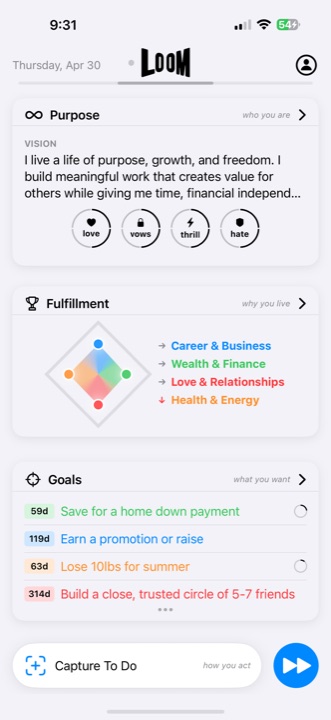
A productivity system may stop helping when it requires too much upkeep, turns every input into a commitment, treats every task as equal, separates daily work from meaningful goals, or makes an imperfect return feel expensive. Keep one place for incoming items, distinguish possible work from current commitments, choose a small set of priorities, make actions realistic for the available context, and use Reflection to update the plan.
Why does a new productivity system feel good at first?
Setup creates immediate clarity. Categories are clean, old tasks are hidden, and the new interface feels more controllable than the accumulated reality. But setup is not the same as execution. The test begins after new work arrives, priorities change, and the novelty is gone.
Six reasons productivity systems stop working
- Maintenance exceeds value. The system requires constant tagging, sorting, formatting, or rescheduling before useful work can begin.
- Capture becomes commitment. Every thought enters the main list and immediately competes with work you have actually chosen.
- Unlike things share one flat list. Goals, projects, habits, appointments, notes, and next actions appear equivalent.
- The system ignores changing context. Yesterday’s priorities remain prominent after deadlines, capacity, or life circumstances change.
- Tools hold disconnected fragments. The task manager cannot see the Goal, the habit tracker cannot see the project, and the journal never changes the plan.
- Restarting feels expensive. One missed review creates so much cleanup that abandoning the system feels easier than returning.
Build the smallest useful system
A system can be simple without flattening every kind of work. It needs:
- A place for incoming items: keep new demands and ideas out of the current plan until they deserve a decision.
- A boundary around commitments: distinguish possible work from what you have actually accepted.
- Visible current priorities: make the small number of actions that matter now easy to find.
- Realistically sized actions: define work that fits the available time, energy, and context.
- A return path: use a brief Reflection to close finished work and update assumptions after life changes.
Example: restart without migrating everything
Imagine returning to a planner after a disrupted stretch. Instead of rescheduling the entire backlog, review the Goals that still matter and choose one finite step for each active outcome. Archive material that is clearly stale and leave uncertain inputs uncommitted until they deserve a decision.
This creates a truthful current plan without making historical cleanup a requirement for returning.
How should a system handle goals, habits, and reflection?
Goals describe outcomes. Finite actions move those outcomes. Repeatable habits provide ongoing support. Reflection turns experience into a better next decision. These layers can live in separate tools, but the user needs a reliable way to reconnect them. Otherwise, completing tasks may never update the Goal, and tracking habits may become detached from why they matter.
AI assistance can reduce blank-page friction or suggest next steps. It should not create an invisible dependency where the system makes commitments without review or where important context exists only inside a chat transcript.
A tool cannot make every commitment realistic
If the workload exceeds available capacity, a better interface cannot solve the conflict. The system should make that mismatch visible so you can decline, defer, renegotiate, or reduce work rather than labeling overload as a personal failure.
Sources and method
This failure analysis is Loom editorial work based on the product-design tradeoffs described on this page; it is not presented as research or a validated universal framework. Loom capabilities were verified against the official App Store listing and the released app. Read the editorial and independence policy.